New technology isn’t always better, and sometimes the simplest means to enjoy entertainment might be the best one. While you have the potential to watch a visually-spectacular film at home with theater-like quality and experience, it takes a fair amount of investment and preparation. Even if you have the right smart TV and setup, there are a handful of factors out of your control that can ruin that experience.
While the ceiling is indeed higher when it comes to watching high-quality content in detailed 4K, there is also more room for error. That’s why your Blu-rays and even your DVDs can look a lot better than your 4K stream. Here’s what you need to know.
Compression kills streaming quality
Large video files need to be reduced
The main reason why streaming suffers when compared to physical media comes down to compression. Video files are quite large, especially if you’re watching something of high quality, and those files are not easily accessible by streaming platforms. If a movie or TV show is contained on a disc, whether that’s a DVD or Blu-ray, there is more room available for larger files.
Streaming, however, needs to compress these files as much as possible in order to create quick, convenient access. Compression basically removes files from the video to reduce the size; what it removes will vary, the results can be subtle or dramatic. But if you’re someone who embraces cinematic fidelity, then those details matter. Color gradients, background artifacts, variations in grayscale are all among the details that may get removed when compression takes place.
DVDs and Blu-rays still compress files, but not to the degree that streaming does. Additionally, the compression on discs is fixed; it’s consistent throughout the title. With streaming compression, some scenes may be more heavily compressed than others depending on what’s taking place. An algorithm will determine what needs compression and when. That constant change can be frustrating for the viewer.
A stable connection avoids added compression
Your internet speed influences video quality

To better understand how compression works, it’s important to look at codecs and bitrates. A codec is basically a method of compression, and the bitrate is the flow of data, measured in megabits per second (Mbps). Both the specific codec used and the bitrate will influence the quality of the compression. DVDs typically boast a bitrate of around 5 Mbps, while regular Blu-rays are between 25 and 40 Mbps; UHD Blu-rays can feature a bitrate up to 100 Mbps. When you are watching content from physical media, bitrate is fixed, so the quality is consistent. That’s not the case with streaming.
The best way to ensure a consistent internet connection is by hooking up an Ethernet cable between your smart TV and your modem. This will prevent drops or lags that can occur when using Wi-Fi.
Your bitrate for streaming is tied to the stability of your internet connection and the allowable bandwidth. If your internet is slow, then it doesn’t matter how good your TV is or if you subscribe to a premium Netflix tier: your streaming is going to be heavily compressed. Services want to avoid buffering, but instead of waiting for the bitrate to increase, your streaming service will simply downgrade the quality of what you’re watching so that it can accommodate the slow speed.
As the bitrate changes, influenced in part by what other devices are using the same network, the quality of what you’re watching changes. But that streaming bitrate isn’t going to surpass that of a Blu-ray, and at its lowest, it’s comparable to a DVD’s bitrate. But at least the DVD is consistent and not influenced by outside factors; it’s not reducing scenes on the fly. If your internet is slow, you’re better off watching a DVD than you are your Netflix 4K stream.
Your smart TV quality matters
Consider your output device

It’s not enough to have a 4K TV in order to enjoy your 4K content. Because another factor in the compression circuit is the quality of your TV, and the features it both offers and withholds. It may seem counter-intuitive, but sometimes bigger and better TVs aren’t going to give you the best visuals if video compression is drastic.
Consider a large 85-inch TV screen compared to a small, 14-inch laptop. If you’re watching a title on a 4K Blu-ray player, and you have a compatible connection for a big 4K TV, then you’re going to enjoy a world of detail, color, and contrast on the giant screen. The same title will look fine on a small laptop, but you won’t get as much detail. However, if you’re watching a Netflix show that has to be heavily compressed due to your internet connection, it’s going to look worse on the big TV than it will on the laptop. It has to fill more space on the TV, which means more missing artifacts and visible blurring and shadowing. The negative results of compression don’t show up as drastically on a small screen.
There’s a similar issue when it comes to advanced video features like HDR10+ or Dolby Vision. Compression means losing these features, and it’s worse that they are removed than if they never existed in the first place. A Netflix stream that can theoretically show a 4K HDR10+ movie on a TV that is also built for 4K HDR10+ will look uglier if it’s forced to undergo compression compared to the HD DVD version of the same movie.
Software enhancements will alter visuals
TV features can make movies better or worse

TV manufacturers like to boast about the plethora of exciting features their new TVs have, from software enhancements to AI assistants and all sorts of processes that supposedly optimize the quality of what you’re watching. And that is sometimes true, but with all these moving parts, it’s also true that sometimes the final result is worse.
Motion smoothing is an example of a software process that can help older content but make new titles appear off. Many users lower or disable motion smoothing to avoid the soap opera effect where people on-screen appear artificial.
Your TV will often try to improve the negative effects of compression, and the results can be both great and awful. Older titles can appear more detailed while newer shows can come across as uncanny. Some details may be hallucinated while others may appear exaggerated. What’s curious about this whole process is that the TV is doing all this work to make up for compression losses that are a result of streaming and an unstable internet connection. If you simply watched physical media from the start, none of this would be necessary.
Personal visual preferences matter
Find settings that work well for you
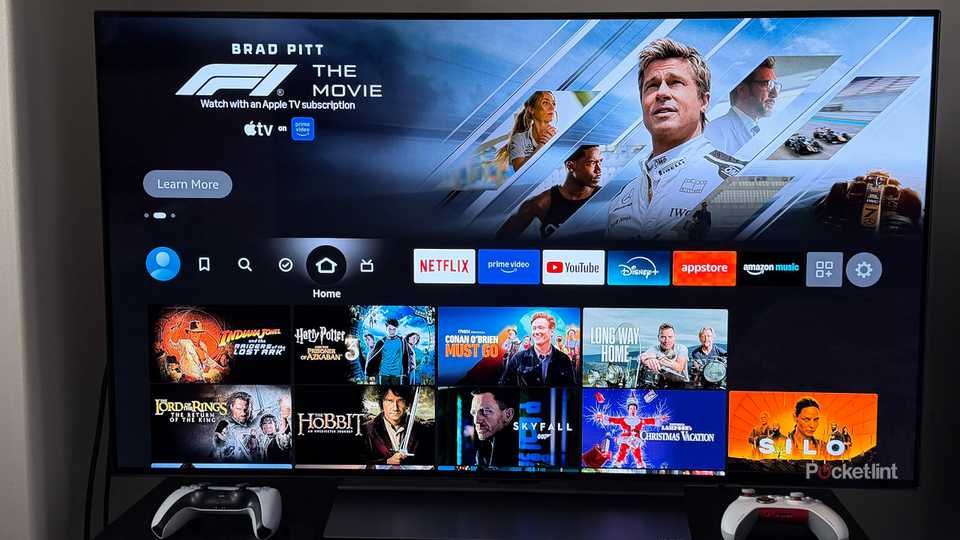
Lastly, it’s important to remember that individual perception plays a big role in determining what looks good. What feels natural and realistic to one viewer may not come across as the same to another. When playing around with color temperature, for example, while cooler tones may appear “right” at first, it’s the warmer side of the scale that most viewers prefer once they adjust to it. So be sure to take time when playing around with different settings, and keep in mind that these settings can influence the effects of compression.
You can help your TV out by setting it up in the right environment, one with little or no ambient light. A dark room with a bit of bias lighting will help you better perceive contrast and keep you from pumping up brightness that can over-saturate colors and blur similar shades. Try to opt for natural or cinema picture settings, and whenever possible, employ Filmmaker Mode to strip away all those software processes. The right settings and environment can go a long way to creating the best image possible.
Trending Products

ASUS RT-AX1800S Twin Band WiFi 6 Ex...


TP-Link AX5400 WiFi 6 Router (Arche...

MSI MPG GUNGNIR 110R – Premiu...

Lenovo 15.6″ FHD Laptop, Inte...

GAMDIAS ATX Mid Tower Gaming Laptop...

15.6” Laptop computer 12GB DD...

SAMSUNG 27″ T35F Sequence FHD...

cimetech EasyTyping KF10 Wi-fi Keyb...